كل الأدلة

حل المشكلات

تحديث اتصال ضعيف

استخدم التحديث الآمن عندما يتوقف الوصول أو تضعف جودة المكالمات والفيديو.

4 دقائق قراءة تمت المراجعة أغسطس 2026
01

Check that access is still active

Open the dashboard and confirm that your plan is active and has not expired. A payment or expiration message must be resolved before refreshing.
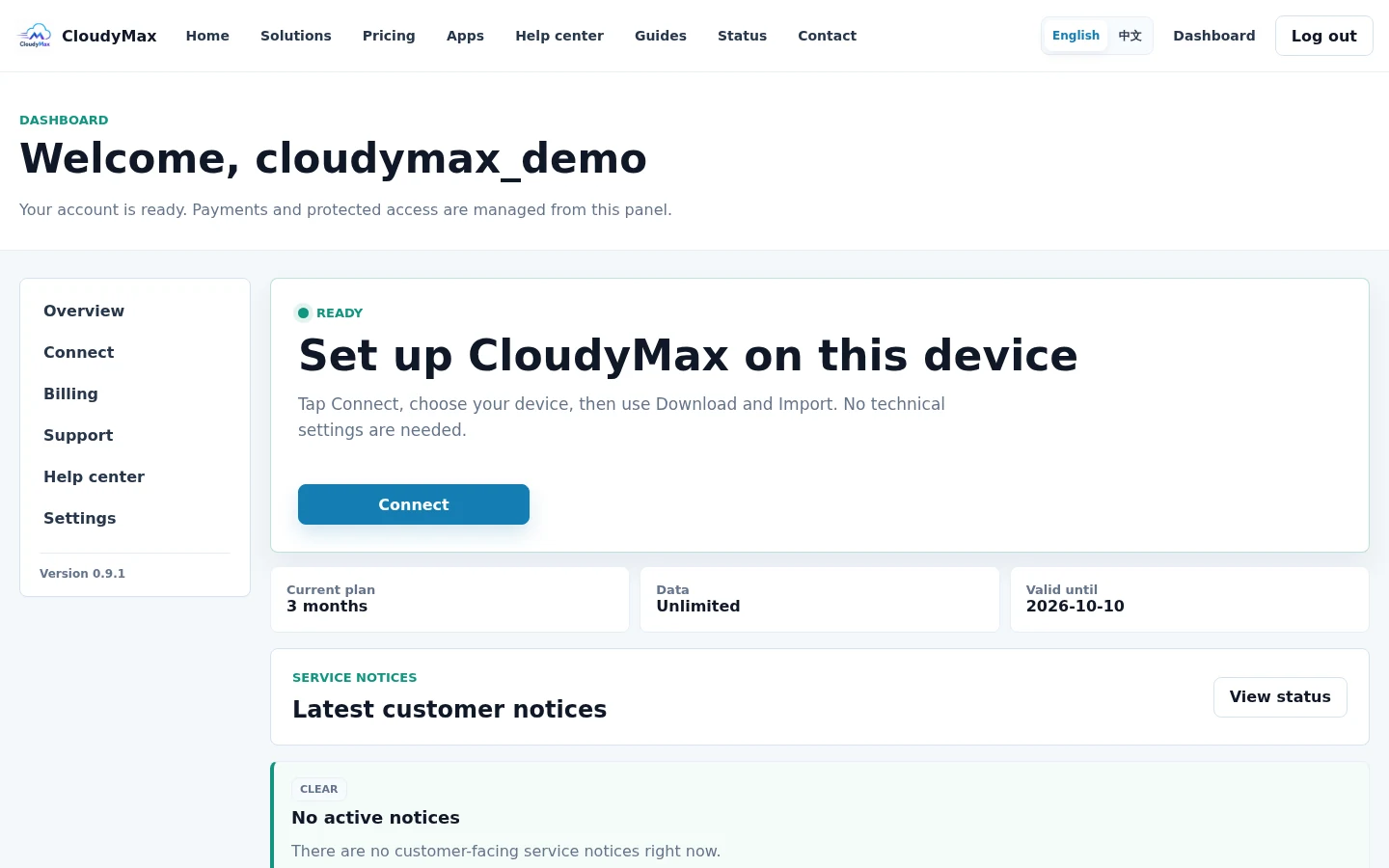
CloudyMax dashboard access status
02

Select Refresh connection once

Open Connect and select Refresh connection. Wait for the page to report that the new account-specific access is ready.
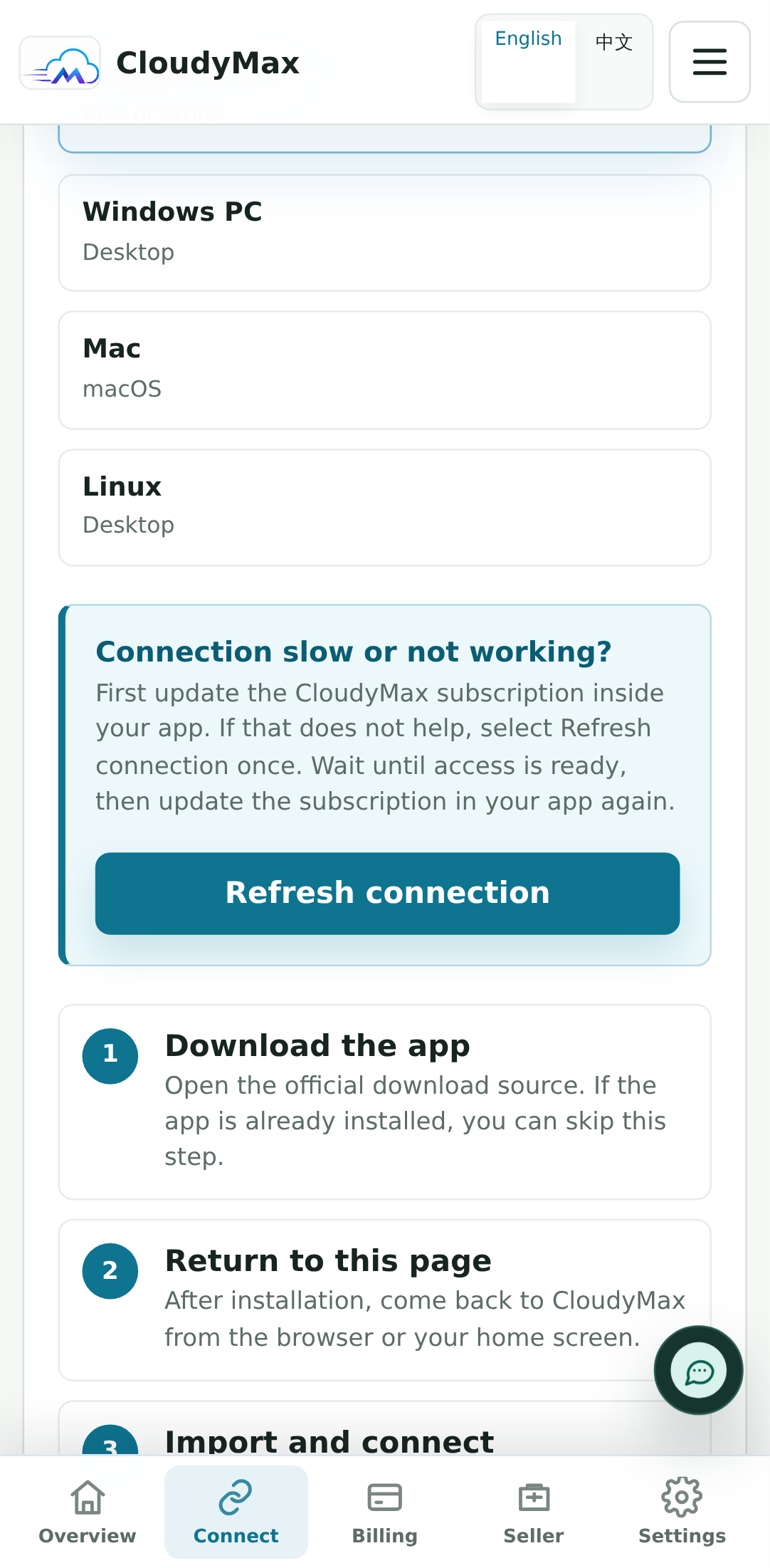
Refresh connection control on the CloudyMax Connect screen
03

Update the imported profile in your app

Return to the app and update its subscription, or use Import again. Then test one normal website before testing a call or large download.
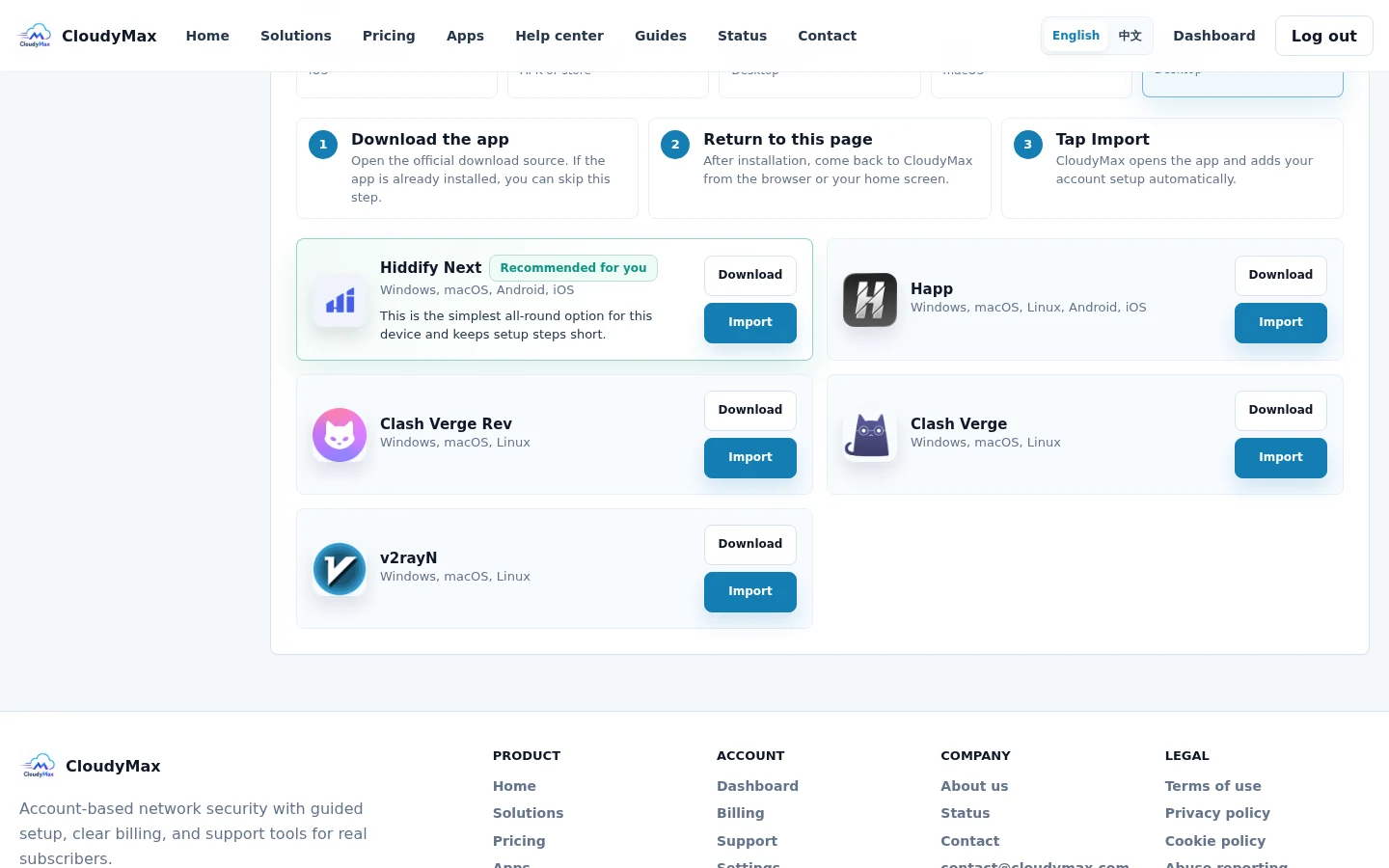
CloudyMax import control after a refresh
الخطوة التالية حافظ على أمان الحساب والدفع تعرّف إلى الموقع الرسمي واحمِ كلمة المرور واعرف ما لن يطلبه الدعم أبدًا.
الدعم